Think about the last time you tried to manage your finances. You likely switched between banking apps, credit card statements, and old receipts, trying to piece together your expenses. It felt tedious, right? Now, scale that challenge to an eCommerce business, where data lives in multiple places—WooCommerce for sales, email alerts for orders, spreadsheets for inventory, and accounting software for bookkeeping. Without seamless integration, teams waste hours on manual data entry, risk costly errors and struggle with real-time financial insights.
In this blog, we’ll explore how WooCommerce integration with accounting tools streamlines operations, eliminates repetitive tasks, improves accuracy, and helps businesses make smarter financial decisions.
Let’s dive in and unlock efficiency for your online store!
Get Started with Aonflow iPaaS – Free Trial Available!
Build and deploy your integrations at zero cost. No credit card required!
Why Integrating WooCommerce Matters
Saving Time
In an ideal world, you’d only enter data once. Your product price, tax rate, or shipping details would appear everywhere they need to, like magic. Integration moves you closer to that goal. When WooCommerce talks to your accounting software, sales flow in automatically. You don’t type them by hand. You avoid duplicating tasks, and your team has more hours for real work.
Reducing Errors
Manual data entry is risky. All it takes is one typo: adding an extra digit to an invoice or mixing up a discount code. That small slip can cause hours of confusion. Customers might get charged the wrong amount. You could lose track of how many items you have left. Integrating WooCommerce with your accounting system fixes most of these issues. Data flows directly without a person re-keying anything.
Gaining Visibility
An e-commerce store with hundreds of orders a day can overwhelm you. You might not know which items sell best or which region they sell in. If your store data remains separate from your accounting system, you have incomplete insights. Linking them together gives you a full view of sales, expenses, and profits in real time. That means faster, smarter decisions.
Scaling Without Chaos
Small online stores might handle orders manually. But what happens when you scale from 10 orders a day to 500? A process that worked for a small store won’t handle bigger demand. Your staff can’t keep up with tedious tasks. Integration is your path to a bigger, stable operation.
Common Problems When Systems Don’t Sync
Double Data Entry
Many store owners juggle multiple spreadsheets and tools. You list your products in WooCommerce. Then, you copy and paste each sale into your accounting app. Extra steps: eat your time. Plus, any mismatch between the data in WooCommerce and your finance software leads to confusion later.
Inventory Nightmares
If you sell the same product in multiple places—like WooCommerce, Amazon, or a physical store—your stock can get out of sync. You might think you have 10 items left, but in reality, you have 3. Overselling leads to canceled orders and angry customers. Underselling can mean missed sales. Without integrated systems, you’re guessing how many items remain.
Delayed Financial Reports
You can’t analyze your store’s performance if your numbers aren’t up to date. When data entry lags behind actual sales, your reports may be off by weeks. This delay stops you from spotting trends or correcting problems quickly.
High Risk of Error
Humans make mistakes. They might misread a coupon code or place a decimal in the wrong spot. These errors add up. They also erode trust. If you constantly send out revised invoices or adjust shipping costs, customers might shop elsewhere.
Higher Operational Costs
All that duplication of effort costs money. You might hire extra staff just for data entry. Or you spend more on shipping corrections. These costs drain your profits. Integrating systems lowers these hidden expenses, boosting your bottom line.
Key Benefits of Cart-to-Accounting Integration
Unified Data
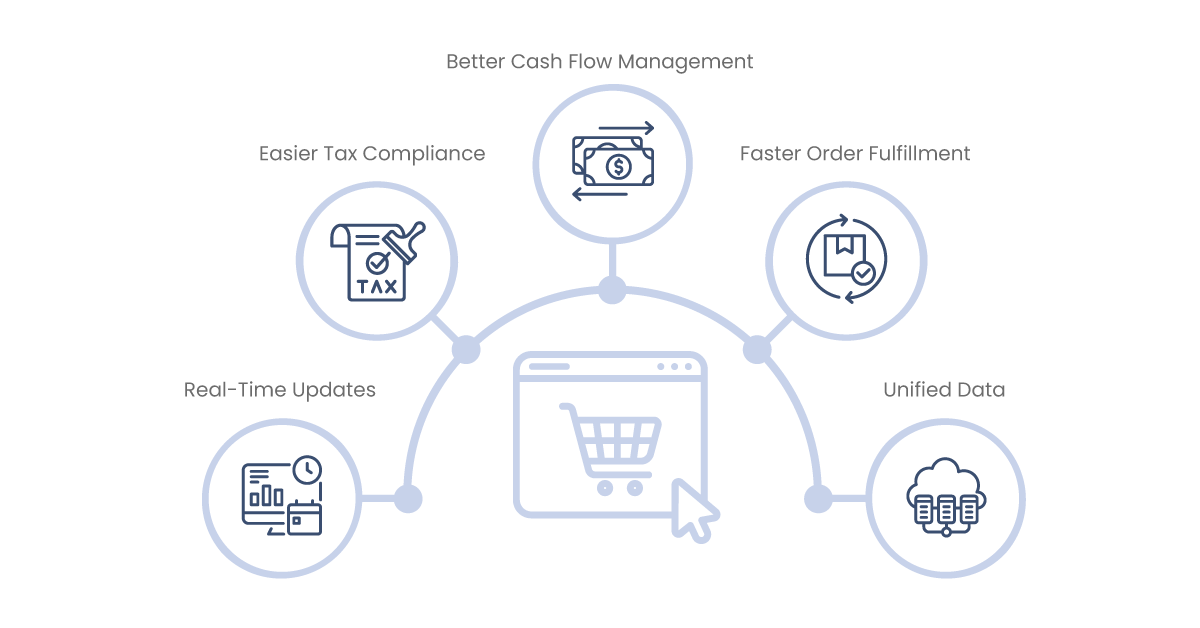
When WooCommerce and your accounting tool share information, you have one source of truth. If you change a product price, it shows up in your finance software. If a customer completes a purchase, your bank ledger updates. This unity avoids guesswork.
Real-Time Updates
An integrated system updates automatically, often in minutes or seconds. You see your daily sales and expenses as they happen. That gives you a live snapshot of your financial health. It also helps you respond faster to changes, like a sudden jump in demand.
Easier Tax Compliance
Tax rules can be a headache. Integrating WooCommerce with an accounting tool that handles tax rates can simplify your compliance. The system calculates your tax automatically, keeps records, and saves you from manual calculations.
Faster Order Fulfillment
Some integrations connect your store to shipping or warehouse tools. Orders come in, packing slips print automatically, and you ship faster. This speed pleases customers, leading to better reviews and repeat business.
Better Cash Flow Management
You know exactly how much cash is coming in each day. You can plan for bills, stock purchases, and expansions more confidently. When your accounting reflects real-time sales, you avoid overdrafts or liquidity surprises.
WooCommerce Basics: A Quick Refresher
WooCommerce in a Nutshell
WooCommerce is a free e-commerce plugin for WordPress. It turns a basic website into an online store. You can add products, set prices, manage shipping, and handle payments. Many store owners love it because it’s flexible and user-friendly.
Core Features
- Product Management: Sell physical or digital products, manage stock, and organize items by category.
- Payment Options: WooCommerce supports multiple payment gateways like PayPal, Stripe, and credit cards.
- Shipping Settings: Define shipping zones and rates. Offer free shipping or flat fees.
- Extensions: WooCommerce’s plugin library has thousands of add-ons for marketing, design, and more.
Why WooCommerce Often Needs Integration
Though WooCommerce handles the storefront, it’s not designed to manage all business tasks. You might have a separate CRM, email marketing tool, or advanced finance app. Each system has its strengths, but they must connect. That’s where WooCommerce integration steps in.
Accounting Tools Commonly Used with WooCommerce
QuickBooks
QuickBooks is popular among small businesses. It tracks sales, manages expenses, and handles payroll. Many integrations let WooCommerce data flow into QuickBooks, cutting down on manual entry.
Xero
Xero is a cloud-based accounting software that’s user-friendly. It works well for small or medium businesses. WooCommerce-Xero plugins sync orders, invoices, and inventory data.
FreshBooks
FreshBooks is known for simple invoicing and time tracking. It’s common among freelancers and smaller stores. You can connect WooCommerce to FreshBooks for automated invoice generation and expense tracking.
Sage 50 and Sage One
Sage offers both desktop and cloud accounting solutions. Some store owners integrate WooCommerce with Sage to manage advanced inventory or multi-currency transactions.
Zoho Books
Zoho Books is part of Zoho’s larger suite of business apps. Linking it to WooCommerce can unify your CRM, inventory, and finance in one ecosystem.
Scenarios and Use Cases for Integration
Small Boutique Store
A boutique sells handmade accessories on WooCommerce. The owner also uses QuickBooks for bookkeeping. Each night, she exports sales from WooCommerce and imports them into QuickBooks. This takes about an hour. Integrating them frees that hour for marketing.
Subscription Box Service
A monthly subscription box business sees recurring orders. Managing these in an accounting app is tricky if done by hand. An integration tracks each renewal in real-time. The finance team doesn’t chase missed payments or membership updates.
Wholesaler With Bulk Orders
A wholesaler selling in bulk might need to track custom invoices and shipping. WooCommerce integration can auto-generate invoices, create shipping labels, and update inventory at scale.
International Seller With Multi-Currency
Stores that ship globally often handle multiple currencies. Integrating with an accounting tool that supports exchange rates saves them from daily manual conversions. Orders in different currencies still appear in the finance system with accurate values.
Dropshipping Model
Dropshippers rely on third-party suppliers. When a WooCommerce order arrives, they forward the details to the supplier. Then, they invoice the customer. Integration ensures the accounting app sees the cost of goods sold and net profit in real-time.
Step-by-Step Guide to Implementing WooCommerce Integration
Identify Your Goals
- List Your Pain Points: Do you spend too long on data entry? Do you struggle with real-time inventory?
- Decide: Which part of the process should you automate first?
Choose the Right Plugin or Connector
- Native Plugins: Some accounting tools have official WooCommerce add-ons.
- Third-Party Services: Platforms like Aonflow can bridge the two systems.
- Custom Development: For unique needs, hiring a developer to build an API integration might be best.
Check Compatibility
- WooCommerce Version: Make sure your chosen plugin works with your WooCommerce setup.
- Accounting App Version: If you have a desktop version (like QuickBooks Desktop), you may need different solutions than if you have a cloud version (like QuickBooks Online).
Plan Your Data Mapping
- Which Fields Sync?: For instance, product name, SKU, price, discount, shipping cost, and taxes.
- One-Way or Two-Way?: Do changes in your accounting tool reflect back in WooCommerce?
Set Up a Test Environment
- Clone Your Site: Run tests in a staging area so you don’t affect live orders.
- Import Sample Data: See if everything maps correctly. Look for errors in order totals or tax rates.
Go Live in Stages
- Enable Sync: Turn on live data flow for a small subset of orders or products.
- Monitor Logs: Check if any transactions fail to sync or if duplicates appear.
Train Your Staff
- Show Them the New Workflow: If they manage refunds or manual orders, they should know how it syncs.
- Collect Feedback: Staff might spot errors you missed. Tweak the setup as needed.
Maintenance and Updates
- Plugin Updates: Keep your integration plugin or connector current.
- WooCommerce Updates: Major WooCommerce releases can break old integrations. Always test after updates.
- Accounting Software Updates: If your accounting app changes features, revisit your data mapping.
Aonflow is the leading integration platform.
You can kick-start by integrating your first-ever workflow in just a matter of minutes.
Best Practices for a Smooth Integration Process
Clean Up Existing Data
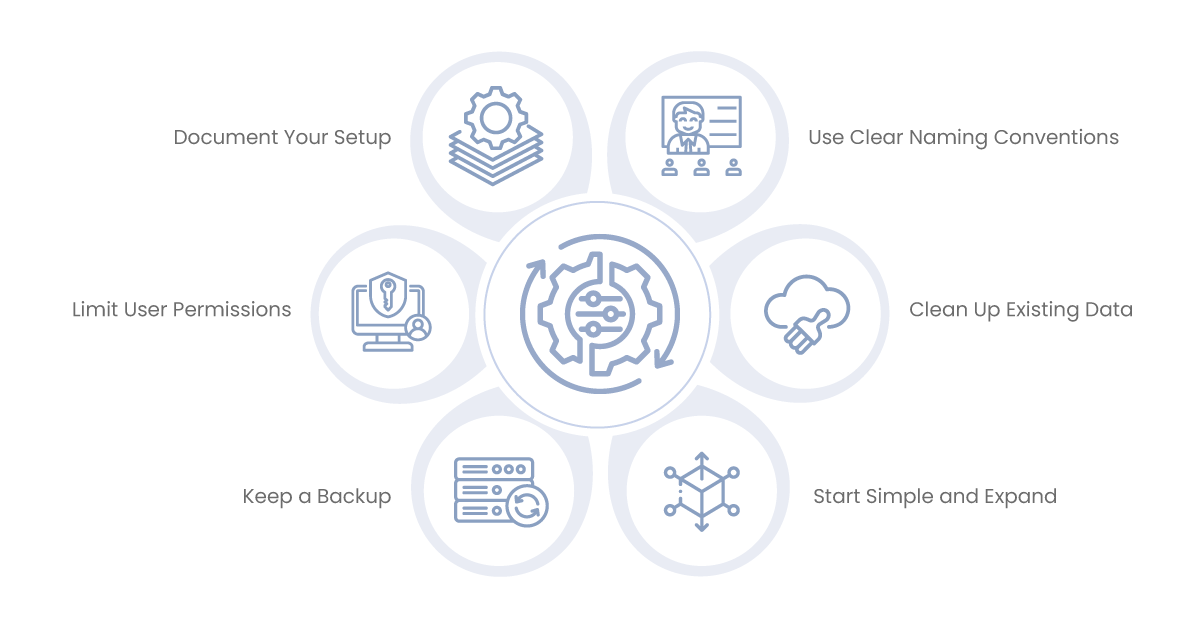
A messy product catalog or duplicate customers creates confusion when syncing. Fix these issues before you integrate. Standardize naming and remove old entries.
Use Clear Naming Conventions
If your product SKUs differ in WooCommerce vs. the accounting system, you’ll get mismatches. Pick a format (e.g., “PROD-001”) and stick to it everywhere.
Limit User Permissions
Integration can expose sensitive data. Ensure only authorized staff can see or edit financial details. Set up roles in both WooCommerce and the accounting software.
Document Your Setup
Write down how data flows and which fields map. If you add a new product category, note how it syncs. This blueprint helps you fix issues or train new employees.
Keep a Backup
If something goes wrong, you want to restore your data. Have a backup process for both WooCommerce and your accounting tool.
Start Simple and Expand
Automate your sales invoices first. Once that’s stable, handle things like refunds, partial payments, or multi-currency. Incremental changes keep it manageable.
Examples: Stores That Got It Right
A Local Clothing Brand
A small brand sold printed T-shirts and hoodies. They used WooCommerce for online orders and Xero for accounting. Each week, they spent four hours manually entering sales. After connecting WooCommerce to Xero, new orders appeared in Xero in real time. The founder saved those four hours every week and spent them on designing new apparel.
A Subscription Coffee Service
A coffee roaster provided monthly bean deliveries. They wanted to know which roast each customer ordered and when they made their payment. The integration of WooCommerce’s subscription plugin with FreshBooks automatically generates and records payments of each recurring order as an invoice. They missed a renewal cycle infrequently and had a lower rate of failed charges.
A Gadget Dropshipper
The WooCommerce solution had multiple suppliers in a gadget shop. Over there, they implemented QuickBooks for expense tracking. The system recorded the price of each product from the supplier in addition to shipping. Profits were simple at a glance. They also processed refunds more quickly since QuickBooks linked product costs to customer returns without the need for additional typing.
A Crafting Supplies Store with Multiple Channels
A craft shop that sold via WooCommerce, Etsy, and a storefront. They successfully unified their inventory and sales data by integrating WooCommerce with a centralized accounting system. Using a third-party aggregator, they pulled Etsy sales into that same system. Now, they very rarely oversell products since all channels update inventory in real time.
Measuring ROI and Ongoing Optimization
Key Performance Indicators (KPIs)
- Time Saved: File how much time you spent doing manual work before and after the integration.
- Error Rates: Track how many times an invoice or stock error takes place each week. Aim for a sharp drop.
- Outbound Processing Time: Time from sale to shipped package.
- Customer Satisfaction: Look for reviews or support tickets. Has the misunderstanding made customers happier with fewer mistakes?
Financial Impact
- Labor costs: If you’re paying someone to input data by hand, try to cut their hours.
- Missed Blunder or Inventory Error: The fewer the errors, the lesser the refunds. That’s direct savings.
- Accelerating Growth: Less time on admin allows you to experiment with quick marketing ideas or grow your catalog.
Keeping the System Healthy
- Monitor Logs: A few integrations include dashboards or logs for every sync. Assess their ongoing health.
- Keep Updated: Stay current with new WooCommerce release updates, accounting tool releases, or plugin updates.
- Solicit Staff Feedback: Those who work with the system every day may see workflows that are clunky or new opportunities to automate.
Iterative Improvements
Find your second bottleneck after the first batch of integration. Maybe you’ll add multi-currency support or automate the creation of shipping labels. Each added layer builds on the integrated base, making the operation of your business that much smoother.
Future Trends: Where E-Commerce and Accounting Are Headed
AI and Machine Learning
Tools will be able to predict which products to stock and to flag suspicious orders automatically. AI could even auto-categorize expenses and save even more time.
Voice Commerce
Others use voice assistants to order. Voice Integration — WooCommerce might be taking its talents to the voice arena. Accounting software could also evolve with voice-based data entry to quickly log an expense.
Blockchain and Cryptocurrencies
A small but increasing number of stores accept crypto. Crypto transactions are challenging to account for. We expect that new solutions will emerge to connect WooCommerce with crypto-friendly accounting tools.
Global Expansion
International e-commerce is growing. Look for improved tools for managing one-off VAT, GST, and local taxes. Integrations will have to keep up with changing compliance rules.
Unified Commerce
The distinction between physical and online retail is blurred. A system that combines POS (Point of Sale) data with e-commerce sales is more valuable. It facilitates inventory management, tracks customer loyalty, and consolidates financial reporting.
Conclusion: Your Next Steps
Integrating your WooCommerce store with your accounting software is like pulling the mess out of that catch-all drawer in the kitchen — so rewarding once it’s done! You’ll save time on data entry, minimize errors, and have a real-time overview of your sales and finances. That translates to more confidence in your numbers, fewer headaches for your team, and a more seamless experience for customers.
Your Next Move:
- What are your top pains in managing data?
- Finding the right WooCommerce accounting integration for your store.
- Test on a small scale.
- Deploy it slowly and measure the effect.
- As your business scales, keep iterating and exploring different capabilities.
When your cart syncs with your accounting, you’ll reduce the number of late nights spent matching invoices. You should spend your time finding your new products, building your brand, or doing business with your customers. That is the power of integration. That, however, is not just a tool — that’s a guide to simpler, more efficient ways of doing business.
Get Started with Aonflow iPaaS – Free Trial Available!
Build and deploy your integrations at zero cost. No credit card required!