Running a successful business means staying ahead of the competition by streamlining your processes, improving efficiency, and ensuring all parts of your organization are in sync. QuickBooks and Salesforce are two crucial tools used by countless businesses across the globe.
While QuickBooks manages your finances, Salesforce handles customer relationships. But integrating the two platforms seamlessly has historically been a complex, time-consuming task—until iPaaS came into play.
iPaaS, or Integration Platform as a Service, is revolutionizing how businesses approach integration by automating the transfer of data between applications without the need for manual coding or constant supervision. It connects different software, tools, and systems, allowing data to flow effortlessly from one platform to another.
For businesses using both QuickBooks and Salesforce, iPaaS can be a game-changer, enabling you to save time, eliminate manual errors, and focus on what really matters—growing your business.
In this blog, we’ll dive deep into how iPaaS can save you hours on QuickBooks and Salesforce integrations, its benefits, and real-life success stories. Along the way, we’ll back up the claims with statistics and examples that show the true power of this technology.
Get Started with Aonflow iPaaS – Free Trial Available!
Build and deploy your integrations at zero cost. No credit card required!
What is iPaaS, and Why is It Important?
iPaaS stands for Integration Platform as a Service, a cloud-based solution that integrates various applications and systems across an organization. Think of iPaaS as the bridge connecting two or more disparate platforms—such as QuickBooks and Salesforce—automating data flow between them without manual intervention.
Without iPaaS, businesses typically rely on manual data entry or custom-built integrations, both prone to errors and inefficiencies. Manually entering data between QuickBooks and Salesforce can consume a significant amount of time, especially if you’re dealing with large datasets or high transaction volumes. Worse still, manual data entry introduces the risk of human error, with misplaced digits, missed entries, and discrepancies leading to financial mistakes and misinformed business decisions.
An iPaaS solution changes the game. It automates the transfer of data between QuickBooks and Salesforce in real-time, ensuring that every sale made in Salesforce reflects immediately in QuickBooks, or that financial data from QuickBooks is available to Salesforce users on the fly. The result? Hours saved, fewer errors, and a more streamlined, efficient business process.
A Growing Demand for Integration Solutions
Businesses are increasingly reliant on software to manage different aspects of their operations. As a result, the need for integration solutions has grown exponentially. According to research, the global iPaaS market size is projected to reach US$12.3 billion by 2030, growing at a CAGR of 38.4%, during the forecast period of 2025–2030. This surge highlights how businesses are recognizing the importance of streamlined, automated workflows.
With so many businesses investing in solutions that can help them integrate their core tools, iPaaS is rapidly becoming a must-have, especially for those relying on QuickBooks for accounting and Salesforce for CRM. Companies that fail to leverage iPaaS risk falling behind in terms of operational efficiency and may struggle to keep up with competitors who have streamlined their workflows.
How Can iPaaS Save You Time with QuickBooks and Salesforce Integration?
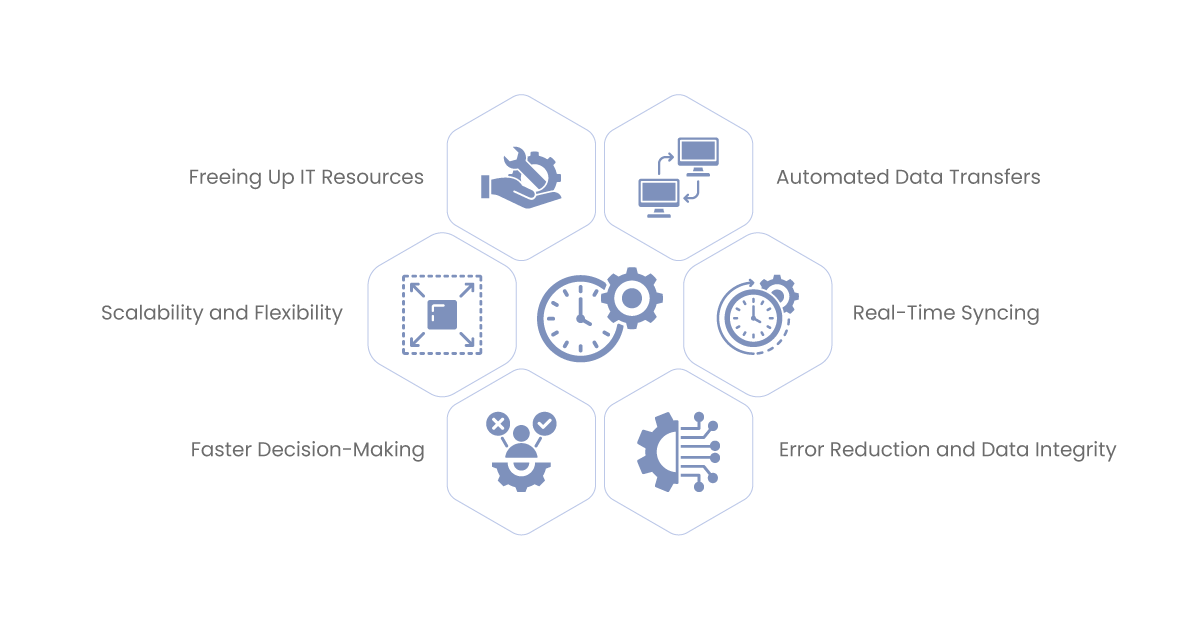
The manual transfer of data between QuickBooks and Salesforce might seem manageable for a business with a low transaction volume. But as your business grows, the need for a seamless, automated integration becomes critical. Here are some key ways iPaaS saves time and effort for businesses looking to connect these two essential platforms:
Automated Data Transfers
iPaaS automates the process of transferring data between QuickBooks and Salesforce, eliminating the need for manual entry. Imagine never having to re-enter customer information, sales data, or payment details between the two systems again—iPaaS handles it all for you.
For instance, when a new sale is recorded in Salesforce, iPaaS automatically updates QuickBooks with the necessary financial details—creating invoices, recording revenue, and updating ledgers without the need for human intervention. This automation eliminates the hours spent on tedious data entry tasks and drastically reduces the potential for errors.
Real-Time Syncing
One of the standout features of iPaaS is its ability to sync data between systems in real-time. This ensures that your sales team and finance department are always working with the most up-to-date information. There’s no need to wait for end-of-day data transfers or manually export/import information.
Real-time syncing allows for immediate actions. When a customer makes a payment or an order is placed, both QuickBooks and Salesforce are updated instantaneously. Your finance team doesn’t need to follow up with the sales department for missing invoices, and your sales team has full visibility into the financial status of their clients.
Error Reduction and Data Integrity
Manual data entry is often plagued by errors. According to a study, human error costs businesses up to $37 billion annually in the US alone. iPaaS virtually eliminates the risk of these errors by automating data transfers between systems. This ensures that financial data from QuickBooks and customer data from Salesforce are always accurate and up to date.
For example, imagine a sales team member entering the wrong customer details in Salesforce. Without an integrated solution, this error would cascade into QuickBooks, potentially leading to incorrect invoicing or tax issues. With iPaaS, automated checks ensure consistency across platforms, maintaining data integrity and reducing the potential for costly mistakes.
Faster Decision-Making
When your data is accurate and up-to-date, decision-making becomes faster and more informed. With an iPaaS solution in place, management can access real-time financial reports in QuickBooks based on sales data from Salesforce, helping them make more strategic decisions without delay.
Whether it’s identifying trends in customer behavior or making adjustments to pricing strategies based on sales performance, having access to accurate, real-time data enables companies to respond quickly to market changes and opportunities.
Scalability and Flexibility
As your business grows, so does the complexity of managing financial data and customer interactions. Manually transferring data between QuickBooks and Salesforce becomes unsustainable as transaction volumes increase. iPaaS provides the scalability you need to handle this growth without adding complexity to your operations.
With iPaaS, you can scale your operations without worrying about whether your systems will keep up. The integration platform like Aonflow handles the increased data volume effortlessly, ensuring that workflows remain streamlined as your business expands.
Freeing Up IT Resources
Traditionally, integrating two platforms like QuickBooks and Salesforce required heavy involvement from IT teams. Developers had to write custom scripts or build APIs, and maintaining these integrations over time required continuous monitoring and updates. iPaaS simplifies the entire process by offering pre-built connectors and user-friendly interfaces, meaning that your IT team is no longer bogged down by integration issues. They can focus on higher-value tasks that drive innovation and business growth.
By reducing the burden on your IT department, you not only save time but also reduce operational costs. IT teams no longer need to spend time troubleshooting integration issues or maintaining complex custom-built connections between systems.
Examples of iPaaS Success in QuickBooks and Salesforce Integration
Let’s look at some use cases of businesses that can benefit from iPaaS integrations:
A mid-sized IT consulting company struggled with manual data entry between Salesforce and QuickBooks. The sales team would close deals, but the finance team often received outdated or incomplete information, leading to delays in invoicing and payment collection.
After implementing an iPaaS solution, the company was able to automate the entire process. Sales data from Salesforce flowed directly into QuickBooks, ensuring accurate and timely invoicing. The result? A 40% reduction in time spent on administrative tasks and a 25% increase in cash flow as invoices were processed more quickly.
An environmental consulting firm, used iPaaS to connect QuickBooks and Salesforce, drastically improving their customer billing process. Before iPaaS, customer data had to be manually transferred from Salesforce to QuickBooks, a time-consuming process that often resulted in invoicing errors. After switching to iPaaS, the firm saw a 35% improvement in invoice accuracy, leading to fewer disputes and quicker payments from clients.
A digital marketing agency used iPaaS to integrate QuickBooks and Salesforce, enabling their sales and finance teams to work more cohesively. The real-time syncing of data allowed the company to eliminate billing discrepancies, and they saw a 20% reduction in invoice disputes and a 50% decrease in the time it took to prepare financial reports.
Aonflow is the leading integration platform.
You can kick-start by integrating your first-ever workflow in just a matter of minutes.
What are the Key Features of an iPaaS Solution?
When selecting an iPaaS solution for integrating QuickBooks and Salesforce, it’s essential to choose a platform that meets your specific needs. Here are some key features to look for:
- Pre-Built Connectors: An iPaaS solution should come with pre-built connectors for QuickBooks and Salesforce, allowing you to get started quickly without needing to develop custom code. This can drastically reduce setup time and get your integration up and running in a matter of hours rather than weeks.
- Customization Options: While pre-built connectors are important, every business has unique processes and requirements. The iPaaS solution should allow for customization, letting you define specific workflows or triggers that suit your business needs. For example, you may want certain data to sync between Salesforce and QuickBooks only after an invoice is paid, or you may have specific custom fields that need to be mapped between the two platforms.
- Real-Time Data Syncing: Real-time data syncing ensures that information is always up-to-date in both QuickBooks and Salesforce, reducing delays and ensuring that your teams have accurate information at their fingertips. This is particularly important for fast-paced businesses where delays in data syncing can lead to missed opportunities or delayed payments.
- Security and Compliance: With sensitive financial and customer data being transferred between platforms, security is a top priority. Look for an iPaaS solution that provides robust encryption and adheres to compliance standards such as GDPR or HIPAA. This ensures that your data is protected at all times, whether in transit or at rest.
- User-Friendly Interface: The iPaaS platform should be easy to use, allowing business users (not just IT professionals) to manage integrations and monitor data flows. A clean, intuitive interface will reduce the learning curve and enable your team to handle the platform with minimal technical knowledge.
- Scalability: As your business grows, so will your integration needs. Choose an iPaaS solution that can scale with your business, handling increased data volumes and more complex workflows without compromising performance.
What Are the Financial and Operational Benefits of iPaaS?
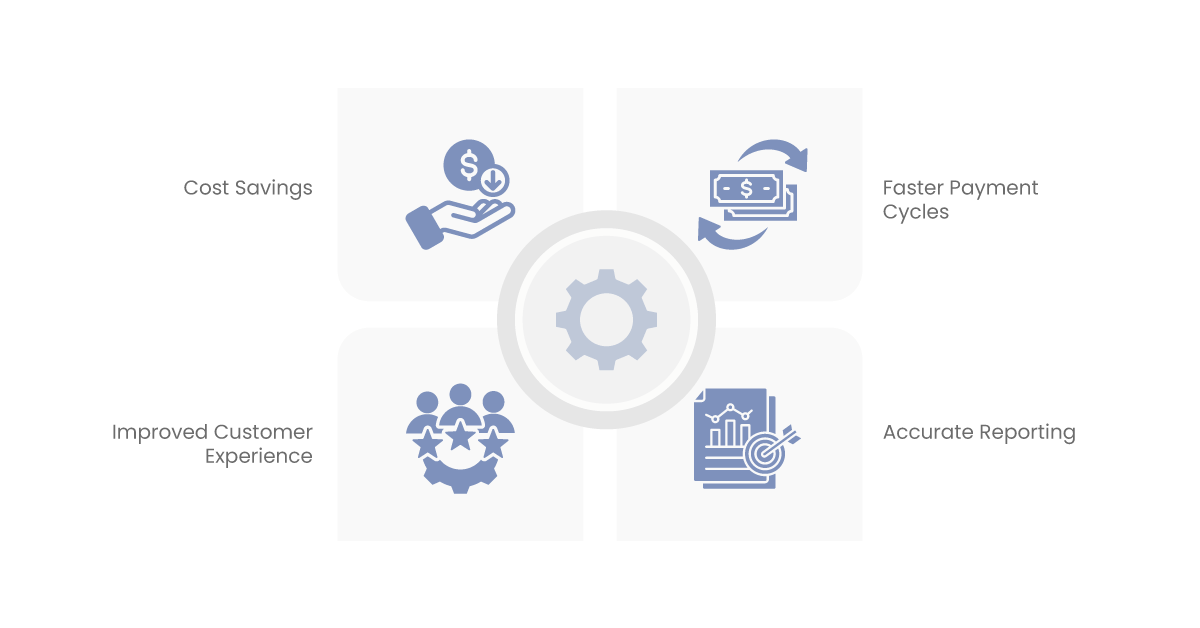
The benefits of integrating QuickBooks and Salesforce through an iPaaS solution extend beyond just time savings. Let’s take a look at some of the broader financial and operational advantages:
- Cost Savings: By automating data entry and reducing the need for IT involvement, iPaaS can lead to significant cost savings. According to a report by Nucleus Research, companies that implemented cloud-based integration solutions saw an average ROI of $3.03 for every dollar spent. This comes from reduced labor costs, fewer errors, and increased operational efficiency.
- Improved Customer Experience: With iPaaS, your sales and finance teams can work in harmony. When customer data is up-to-date across systems, your sales team has the information they need to provide better service, and your finance team can resolve billing issues more quickly. This seamless communication between departments leads to a better overall customer experience.
- Faster Payment Cycles: With real-time syncing of data between Salesforce and QuickBooks, you can send invoices faster and reduce delays in payment collection. Faster payment cycles improve cash flow, allowing your business to reinvest funds into growth opportunities.
- Accurate Reporting: When data is synced in real-time across systems, financial reporting becomes more accurate. This enables better decision-making, as management has access to up-to-date information on sales, revenue, and customer accounts.
Future-Proof Your Business with iPaaS Integration Solutions
The future of business operations is automated, and iPaaS solutions are at the forefront of this shift. As businesses adopt more software tools to manage various aspects of their operations, the need for integration will only increase. By implementing an iPaaS solution today, you’re future-proofing your business to handle whatever new tools or processes come your way.
The flexibility of iPaaS ensures that you can integrate new platforms, scale your operations, and streamline workflows without overhauling your entire system. This is crucial in a world where business agility is key to staying competitive. As technology continues to evolve, businesses that rely on iPaaS will be better positioned to adapt to changing market conditions and emerging trends.
Conclusion
iPaaS solutions offer a smart, efficient way to integrate QuickBooks and Salesforce, saving businesses countless hours of manual work, reducing errors, and improving overall operational efficiency. With the ability to automate data transfers, sync information in real time, and eliminate the need for IT-heavy solutions, iPaaS is an indispensable tool for businesses looking to streamline their workflows.
Whether you’re a small business or a large enterprise, the advantages of iPaaS are clear. It’s time to embrace this technology and see how much time, effort, and resources you can save by integrating your essential business tools. By doing so, you’ll unlock new levels of efficiency and set your business up for success in the long run.
Get Started with Aonflow iPaaS – Free Trial Available!
Build and deploy your integrations at zero cost. No credit card required!