Have you tried to connect your smartwatch to your phone, but it just wouldn’t work at first?
No matter how hard you try, they will only work together if they understand each other’s languages.
Imagine doing this in your business applications, like Salesforce, Business Central, and more.
When you try to sync product specifications or update customer information, you get mixed up. You deal with old information and confusion instead of being able to get them to work together effortlessly.
A lot of businesses deal with this problem every day, but most people do not do something to fix it all for once. They look out for temporary workarounds.
But what if your tools could talk to each other without you having to do anything?
This is where the automated connection between Salesforce and Business Central comes into play. Automated processes keep things running smoothly and cut down the chaos.
This blog post lists the top five automation processes that can help your business run smoother.
We’ll talk about how automation can speed up things like sales, customer service, syncing data, and more. You’ve come to the right place if you want to find practical ways to get more done.
Get Started with Aonflow iPaaS – Free Trial Available!
Build and deploy your integrations at zero cost. No credit card required!
1. Sync data instantly from Salesforce to Business Central and vice versa.
The biggest challenge in parallelly managing multiple systems is synchronizing the data across the systems. Assuming everything is set up correctly, you’re working with current and complete data. This is critical in CRM tools like Salesforce and ERP tools like Business Central.
How it Works:
Salesforce Business Central Integration allows you to sync information between these two systems automatically. As an example, you could set to push new Salesforce customers into Business Central automatically. Similarly, any changes made in Business Central regarding inventory, order status, etc., can be reflected in Salesforce in real time. Leave behind all manual data entry and ensure that your teams are always working on the latest data.
Benefits:
- Does away with manual data entry and auricles data.
- Delivers accurate, need-to-know info across systems.
- This reduces the time needed to organize data, which improves operational efficiency.
Example:
You are entering a customer order in Salesforce only to check the inventory of that item in Business Central and see that it’s out of stock. Now you’ve got a problem. Your salesforce is using outdated data, and the customer does not know they could be waiting for a long time for their order.
But what if that information was automatically updated in Salesforce the moment an item goes out of stock in Business Central? No more surprises.
Your sales reps would immediately know and be able to tell customers quickly, avoiding excessive back and forth or confusion.
Well, this is the beauty of real-time data sync between Salesforce and Business Central, where both apps keep themselves in sync to save a lot of time without any errors.
2. Automated Sales Order Creation from Salesforce to Business Central

Direct Outstanding Sales Orders from Salesforce into Business Central
If you are filling sales orders manually from sales leads, it can consume a lot of time. The process itself is copying data from one place to another, so it is both repetitive and an excellent opportunity for typos and errors. This becomes exponentially time-consuming and error-prone, which is where automating this process has the potential for significant time savings and accuracy.
How it Works:
For instance, you can create automatic workflows that will help generate sales orders in Business Central once a deal is closed in Salesforce, consuming the customer details from Salesforce. Business Central seamlessly integrates data such as quantity, price, and delivery information. This integrated approach also ensures that the sales team does not create duplicate entries on multiple systems.
Benefits:
- Minimized the time required to perform the order processing.
- Human error in inputting data is minimized.
- Ensures the sales and finance teams are always in sync.
Example:
Your sales rep just won a big deal in Salesforce. They’re hand-inputting the customer details —–order quantity, order price, and delivery instructions — into the Business Central system.
That is a time-consuming operation, and the more manual steps that are needed, the higher the likelihood that an error will be made. Correct input of this data will ensure customer satisfaction.
For example, with automation, after closing the deal in Salesforce, a sales order is created in Business Central directly. You transmit order details like the customer, quantity, pricing, and delivery, well learn it effortlessly. That means the sales team only has to do the work once — and can stop worrying about typos. It is all synchronized, and the entire operation is much faster.
Such an automated workflow will hasten the entire order process and guarantee that all necessary information is included and accurately transitioned into the system. The sales and finance teams remain aligned, and customers receive their orders on time, minus the added pain of confusion.
Aonflow is the leading integration platform.
You can kick-start by integrating your first-ever workflow in just a matter of minutes.
3. Inventory Management Automation Between Salesforce and Business Central
Proper inventory management is essential to meeting customer demand and facilitating timely deliveries. Salesforce integration with Business Central allows real-time inventory updates to ensure your sales and inventory teams are on the same page.
How it Works:
For example, when a sales order is entered in Salesforce, the integration can automatically adjust the inventory levels in Business Central by being notified when an item is running low or automatically reordering items from a supplier. Likewise, if stock levels are adjusted in Business Central, those updates carry over to Salesforce so that sales teams know what is on hand to close deals.
Benefits:
- Ensures reordering on time, which in turn helps avoid stockouts.
- It provides sales teams with real-time information on stock levels.
- Less manual checking and updating saves time.
Example:
An individual reaches out to your sales team, requesting to buy a product. The sales rep looks up the inventory in Salesforce, verifies the availability, and promises immediate delivery. However, the item will be out of stock when the order is processed in Business Central.
Now there’s a delay — and the customer’s not happy. That scenario occurs more frequently than you might think when inventory updates aren’t automated.
This is where the power of workflow automation comes into play – now that Salesforce and Business Central are integrated, whenever an order is placed in Salesforce, the inventory levels in Business Central get updated automatically.
The system can alert the purchasing team when an item is running low — or even reordering from suppliers. Conversely, inventory updates in Business Central — like those for new shipments — instantly redraw from Salesforce, so your sales team knows (and can make informed promises) based on your latest supplies and stocks.
The system prevents stockouts, sends timely reordering, and saves time from manual checks. Your sales team always knows the most accurate inventory information, leading to fewer mistakes and happier customers.
4. Automated Invoicing and Billing from Business Central to Salesforce
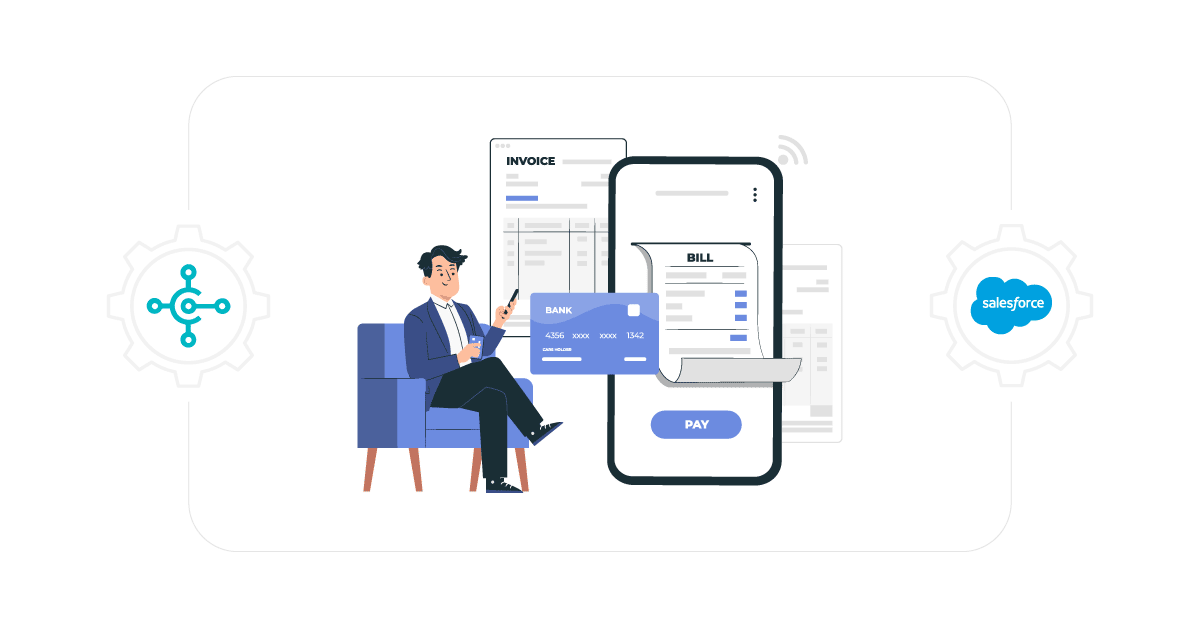
After a sales order has been fulfilled, billing is the next step. If your organization uses Business Central and Salesforce, automating the invoicing process between these two systems will save your finance team invaluable work hours and enable your sales team to bill your customers more accurately.
How it Works:
In Business Central, an invoice is automatically created after an order has been shipped/delivered. This invoice data can then be pushed to Salesforce and associated with the customer record. Thanks to this integration, the invoice status is viewable in Salesforce directly for the customer service team, reducing the need for back-and-forth communication between systems!
Benefits:
- Minimize errors in manual invoicing.
- Speeds up the billing process.
- Helps with cash flow by automating the invoicing and tracking.
Example:
Your team just completed a big order, and now it’s time to create the invoice. Traditionally, this meant making the invoice in Business Central and then posting it to Salesforce to associate it with the customer’s record. It’s a time-consuming process, and there’s also the possibility of human error, which might result in delayed payment or customer dissatisfaction.
Automating once the order ships or is delivered, the corresponding invoice is automatically created in Business Central and sent to Salesforce. The invoice is immediately linked to the customer’s record for the customer service team to review without delays or context switching.
This makes the process less prone to errors in the invoicing process, faster, and even increases your cash flow, as invoices are created and tracked automatically. Your finance team can spend less time on rote data entry, focusing on more strategic tasks instead, while your business benefits from quicker, more accurate invoicing.
5. Customer Support Integration for Better Experience
Customer service is a vital component of every business. With Salesforce and Business Central integration, customer service teams can instantly access critical order and product details, ensuring they address questions quickly and accurately.
How it Works:
When a customer reaches out to support, Salesforce serves up all customer information, from sales history to order status to billing information. To complete the integration with Business Central, the support team can directly see real-time order fulfillment and information on inventory availability and financial data. In cases where your product or service is imperfect, this integrated “feedback-monitor” system would mean that customer support teams can quickly provide solutions and improve the customer experience.
Benefits:
- Enhances response time for customer service.
- Delivers 100% real-time data to support teams.
- Improves customer satisfaction and retention.
Example:
Consider a user calling in with an inquiry regarding their latest order. However, without good integration, the support agent may have to hop between various systems to retrieve the correct information—one system for order status, one for inventory, another for payment tracking, etc. This may slow response time and cause a frustrating experience for the support team and the customer.
Imagine all that information out there instantly available in one place. Salesforce and Business Central integration allow the entire team to have complete visibility when a customer reaches out to support, with sales information, order status, availability of stock, and billing information all on the same screen in real time. Should there be any problem with the product or service, the support staff can get it fixed on the spot with accurate, updated information.
This all-in-one platform enables customer service teams to respond more quickly, with fewer mistakes and greater personalization. The result is that customers are happier and more likely to come back, which, in turn, increases customer satisfaction and retention.
The Power of Data Synchronization
Now, you might be thinking — what is data synchronization anyway, and why is it essential for these workflows? In simplest terms, data synchronization ensures that the data within various systems is regularly updated to save consistency and accuracy.
Data synchronization is crucial when integrating systems like Salesforce and Business Central, as it ensures that any updates in one system are automatically reflected in the other.
That means no manual updates are necessary, and all the teams across your organization—sales, inventory, customer support, and finance—are working with the same data set. Whether that information involves customers, inventory levels, or billing data, effective integration can help avoid errors, redundancies, and delays, facilitating smoother operations.
Conclusion
Integrating Salesforce with Business Central & automating workflows is more than eliminating manual tasks. It’s about changing how your business operates, accuracy, and ensuring your teams are set up for success.
These are only the first five workflows — more to come, from live data syncs to better customer service. Therefore, your business will reach its peak efficiency, accuracy, and customer satisfaction by successful implementation.
With the ongoing adoption of automation, businesses that can integrate their CRM and ERP systems will have a competitive edge in operational efficiency and customer experience. Integrating Salesforce with the Business Central platform is an ideal way to take your business to a new level (with your data sets alongside sales) since you are working and reading data only once.
Automation can build agile, responsive businesses ready for the future by streamlining processes, minimizing manual work, and delivering real-time insights.
Get Started with Aonflow iPaaS – Free Trial Available!
Build and deploy your integrations at zero cost. No credit card required!