In today’s competitive business landscape, delivering exceptional customer experiences at every stage of the customer journey is essential. In fact, 59% of consumers now prioritize customer experience when choosing which brand to buy from. To meet these rising expectations, businesses rely on Enterprise Resource Planning (ERP) systems—earlier used mainly for back-office functions like accounting and finance.
But now, to provide a seamless customer experience, ERPs must work in tandem with customer-facing systems, such as e-commerce platforms, customer support tools, and Customer Relationship Management (CRM) systems. This requires a modern approach to ERP system integration, helping businesses break down silos, overcome challenges, and ultimately deliver better customer service.
This blog will guide you in creating a seamless customer experience from the ground up—starting with ERP. Let’s begin by taking a closer look at what ERP is all about.
Get Started with Aonflow iPaaS – Free Trial Available!
Build and deploy your integrations at zero cost. No credit card required!
What is an ERP system, or Enterprise Resource Planning?
Business management software called an enterprise resource planning (ERP) system aids in the automation of a company’s core operations. In many businesses, an ERP serves as the system of record that gathers data inputs from many departments such as manufacturing, accounting, supply chain, sales, and marketing, among others, to guarantee that the company’s data comes from a single source of accuracy. The terms “financial system” (financial reporting, invoicing, accounting,) and “ERP system” are frequently used interchangeably.
Accounting was ranked as the most important ERP function by 89% of survey participants. However, suppliers of integrated business software also provide a wide range of other modules, including customer relationship management (CRM), business intelligence (BI), supply chain management (SCM), omnichannel commerce, human resource management (HRM), and material requirements planning (MRP).
ERP integration linking to other applications and data sources a business utilizes is necessary to provide great customer experiences since an ERP system manages numerous client-facing tasks including orders, billing, fulfillment, and shipping.
ERP integration: What is it?
ERP integration, to put it simply, links and synchronizes ERP software with other programs and data sources. Whether the data comes from other systems or the ERP, it provides you with a unified picture of data in real-time across many platforms. Because ERP integration improves teamwork and efficiency across corporate operations, workflows, and procedures, it is critical to business operations.
Challenges arising from the absence of ERP integration
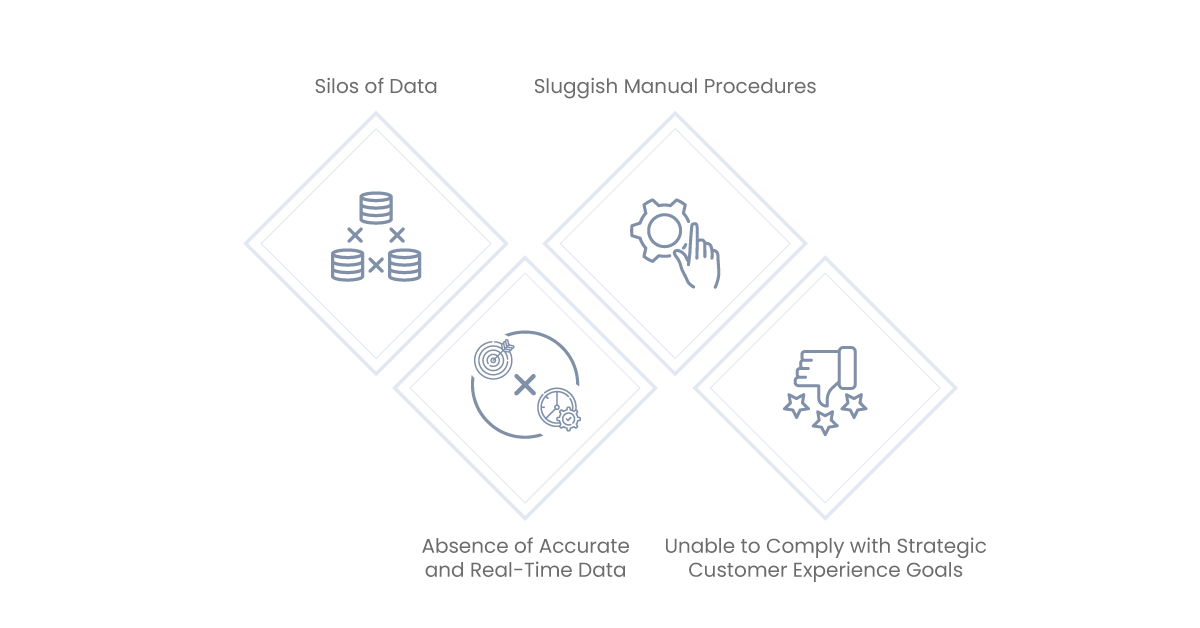
If your business does not have an ERP system integration in the present economic climate, you will encounter several obstacles that will hinder your capacity to compete.
Silos of Data
Businesses are unable to use the potential of their systems due to data silos. Older ERP systems may be housed in legacy, on-premises data silos, while more recent apps are hosted on the cloud. Inaccurate data, inefficiencies, and redundancies are caused by distinct data silos.
Sluggish Manual Procedures
You must use manual procedures to transfer data between the ERP and other systems if ERP system integration is not there. An order placed by a customer, for instance, is entered into a CRM. Operational efficiency suffers and the staff is burdened more if the order needs to be manually input into the ERP system. Higher-value jobs cannot be completed by the labor since they must undertake manual operations.
Absence of Accurate and Real-Time Data
The manual data input and changes that result from disconnected systems cause a delay in the sharing of information throughout the customer experience and lifecycle. The rest of the business cannot access a new client order in real time while it is being manually processed.
Inaccuracies in inventory management might result from manufacturing building inventory for a product other than what was requested. The order’s status won’t be sent to the consumer. Accounting will not record revenue or send the customer an invoice. Everything is put on hold until the order is manually entered.
Unable to Comply with Strategic Customer Experience Goals
For organizations to fulfill their customer experience ambitions, integration is essential. Important financial, product, fulfillment, and other customer-related data is contained in an ERP system. Businesses such as Amazon could not provide real-time status updates when a product is delivered to your door or make on-the-spot suggestions about what to buy without having an integrated view of their consumers.
In the past, a few businesses have created bespoke connections, but these were often point-to-point integrations devoid of reusable code. To expand these ERP linkages and add new features or connect more systems, they need to be modified or replaced. Companies must make old custom-coded connectors extendable before they can accomplish their strategic customer experience ambitions.
What are the different types of integrations with ERP?
ERP systems play a critical role in system integration since they store customer, sales order, and product data. Many different kinds of ERP integration improve company processes; here are a few important ones to take into account:
CRM-ERP Integration: Linking Supply Chain and Demand
The goal of sales is to increase income through customer acquisition, cross-selling, upselling, and customer satisfaction. Customer contact and interaction data is stored in the CRM system; however, order management, fulfillment, and shipping require ERP integration from the CRM system.
Salesforce Sales Cloud is the CRM with the most market share, but there are others as well, such as Microsoft Dynamics, Adobe, and SAP. CRM modules are included in certain ERP systems and connections.
ERP-ECommerce Integration: Providing Front-End Data
The COVID-19 epidemic hastened the transition to e-commerce by forcing businesses to make an overnight switch from in-person to contactless sales and services. E-commerce systems are frequently the initial point of interaction with customers, including browsing, ordering, and payment possibilities.
The smooth ERP connection necessary to oversee the order fulfillment process, which includes updating or inspecting inventory and shipping the goods, is critical to the success of the e-commerce platform.
Numerous e-commerce systems exist, such as BigCommerce, Shopify, Magento, Amazon, and more.
ERP-ERP Integration: Guaranteeing Precise Financial Information
Multiple ERP systems may be used by businesses as a result of departmental preferences, mergers, and acquisitions. To generate a consistent and accurate picture of customer and product data, these ERP systems must be interconnected.
Numerous businesses utilize various ERP systems, such as Epicor, Microsoft Dynamics 365, SAP S/4 HANA, Oracle Business Central, Sage, and Workday Financials.
Integration of Customer Service with ERP: Monitoring Assistance via Customer Service Platforms
Superior customer service increases client happiness, lowers attrition, and provides quicker, more thoughtful responses to customer demands. Field service, support, and customer service are handled by a wide range of programs. Through predictive analytics and artificial intelligence, customer service software manages omnichannel capabilities, self-service capabilities, and proactive interactions.
Software for customer support, often known as IT Service Management (ITSM), is used to handle incident request management and the IT desk. Field service software is used to schedule field service work, manage contracts and warranties, handle returns and repairs, and handle maintenance. Businesses need to give ERP integration top priority to integrate all of these customer service apps efficiently and guarantee smooth client interactions.
Salesforce Service Cloud, Jira, ServiceNow, Oracle Service, ServiceMax, Zendesk, and other systems are well-known for their customer support offerings.
What Advantages Does ERP Integration Offer?
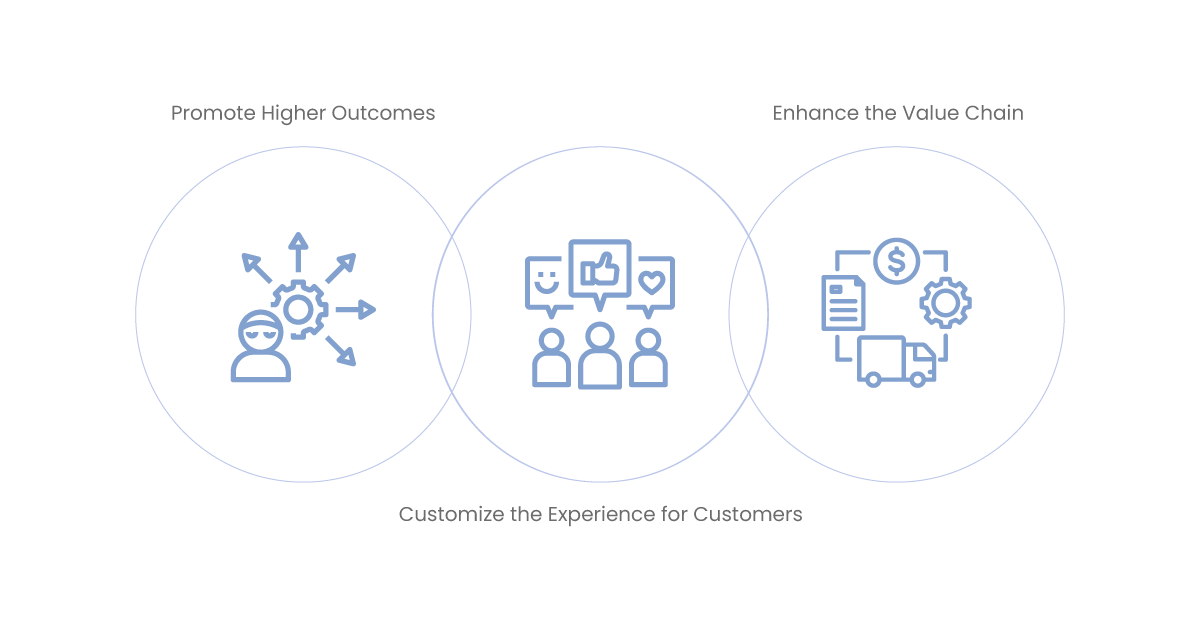
By integrating ERP systems, businesses may maximize data use and provide outstanding client experiences. These are the particular advantages that businesses get from ERP integration.
Promote Higher Outcomes
The disarray of sales-related papers among several repositories might cause delays in order processing. Manufacturers may decrease bottlenecks in the order-to-cash workstream and shorten the time it takes for fulfillment, shipping, and billing by automating business operations that gather documents from various systems.
Order turnaround times are accelerated when all customer and product data is accessible through a single digital process, hence reducing order-to-cash bottlenecks.
Customize the Experience for Customers
ERP integration gives your business smart insights into potential and actual client demands. You can develop specially crafted offerings for your clients if you have access to all of the data that is kept in the back office. However, to merge this data with information from other online, offline, and third-party sources and produce a single, dynamic consumer profile, the appropriate technology is required. After that, you can apply AI to your single customer view and utilize it to suggest offers and messages that are most appropriate for every digital commerce contact you have.
Enhance the Value Chain
Through integration, data is used more effectively across the value chain of your business. Manufacturers are better equipped to anticipate consumer demand, react swiftly to market shifts, expedite the engineer-to-order process, and communicate more efficiently when they have a comprehensive perspective of customer data.
Aonflow is the leading integration platform.
You can kick-start by integrating your first-ever workflow in just a matter of minutes.
How to Connect an ERP to Other Systems
ERP integration issues are addressed by iPaaS solutions, which are intended to simplify integrations despite the existence of more traditional techniques such as point-to-point integration using custom code. iPaaS solutions are used for application integration, B2B ecosystem integration, data integration, on-premises integration, API publication, and other situations. Typically, they are developed on the cloud.
The foundation of most iPaaS systems is an API integration platform that offers workflow design, connection, data mapping, transformation, and integration lifecycle management. The majority link to customer support apps, CRMs, ERP solutions that are more widely used, and any proprietary systems that a business could have.
Although there are many different iPaaS solutions with a wide variety of capabilities, there are certain capability trade-offs. While some iPaaS solutions need IT to construct the interfaces themselves, others offer pre-built components to link corporate systems and automate business processes. Pre-built components in iPaaS systems make routine connections easier, but they might not be able to handle more complicated integrations.
Why Integrate ERP Systems with Aonflow?
The iPaaS solution from Aonflow provides both depth to handle complicated connectors and ease of use for simple integrations. The client Experience solution from Aonflow is made to speed up the automation of common business procedures and activities throughout the client relationship. Our solution utilizes best practices from hundreds of integrations, and it is built on the industry-leading iPaaS platform from Aonflow.
The customer experience solution from Aonflow includes a full lifecycle API Management tool along with the following features:
One Platform for Integration
Aonflow is built to simplify and standardize integration operations on different ERP (Enterprise Resource Planning)s. Here’s how it achieves this:
Centralized API Integration Platform
The core of Aonflow solution is a scalable and reliable central repository for all integrations. This is a platform that can help manage the efforts of developers in tackling more complex integrations – whilst equally providing easy to create user interfaces where simple tasks need no coding at all.
Well-designed Integrated Platform
Aonflow’s platform provides a builder that is designed for advanced integrations, allowing to map complex workflow and exchange of data among several systems Examples for this are visual design interfaces and built-in templates that make the development of integration flows easier.
Deployment Tools
After the integration is designed, Aonflow’s platform provides streamlined deployment tools so that these integrations can be put to use in no time. This covers out-of-the-box deployment automation for continuous integrations, where integration can be rolled in/out/up with zero downtime.
Management Capabilities
The platform provides extensive management capabilities, such as monitoring, logging and analytics. Enables users to monitor the quality of their integrations, troubleshoot problems efficiently and view data flows with system interactions. This is very valuable to make sure that the integrations are running fine and they deliver effectively what your business needs.
Full Lifecycle API Management
like typical integration, Aonflow’s platform offers full lifecycle API management capabilities that are inaugurated from the design phase up to retirement. The realization spans the entire lifecycle, from implementation to publishing, measuring, and finalizing the new API.
With the growth of APIs for business, providing RESTful access to your data becomes essential, especially important if you have a need to expose those services to external partners or customers – yet done in a controlled and secure way.
Pre-built Application Connectors, Integration Formulas, and Procedure Models
Application connectors offer pre-configured and repeatable connectivity to a particular endpoint, such as Business Central or Salesforce. Single, pre-built connections known as “integration recipes” are used to transmit data between like objects in two different applications or systems in a single way (for example, syncing contacts between QuickBooks and Salesforce).
Process templates are pre-built use cases that speed up the execution of particular business processes (like Salesforce and Business Central’s Opportunity-to-Order process) that call for connection between the source and destination applications to numerous objects and fields.
Easily Customize Complex Integrations with an Easy-to-use Interface
Pre-built components can meet the majority of enterprises’ common integration needs. However, customization for other business logic or transformations can be required for more complicated connections.
With pre-built components for the most popular connections and an easy-to-use graphical interface for creating reusable code, Aonflow iPaaS provides the best of both worlds. The reusable code may be expanded as the business expands and IT resources are kept to a minimum.
API Management
Using a single platform, an organization can build, execute, protect, manage, and evaluate all APIs and microservices thanks to API management. Any application or data source, whether it’s in the cloud or behind a firewall, may be accessed at any moment via APIs.
Conclusion
Businesses must integrate ERP systems with other business apps and data sources, such as sales, marketing, logistics, procurement, and more, to get the most out of them.
Creating a 360-degree, end-to-end perspective of your clients requires integration. ERP integration helps you expedite operations and automate company procedures.
Get Started with Aonflow iPaaS – Free Trial Available!
Build and deploy your integrations at zero cost. No credit card required!